Available now
Vehicle activity (AVI)
Know when your vehicle enters and leaves the lot.


PARKIMO EXCHANGE
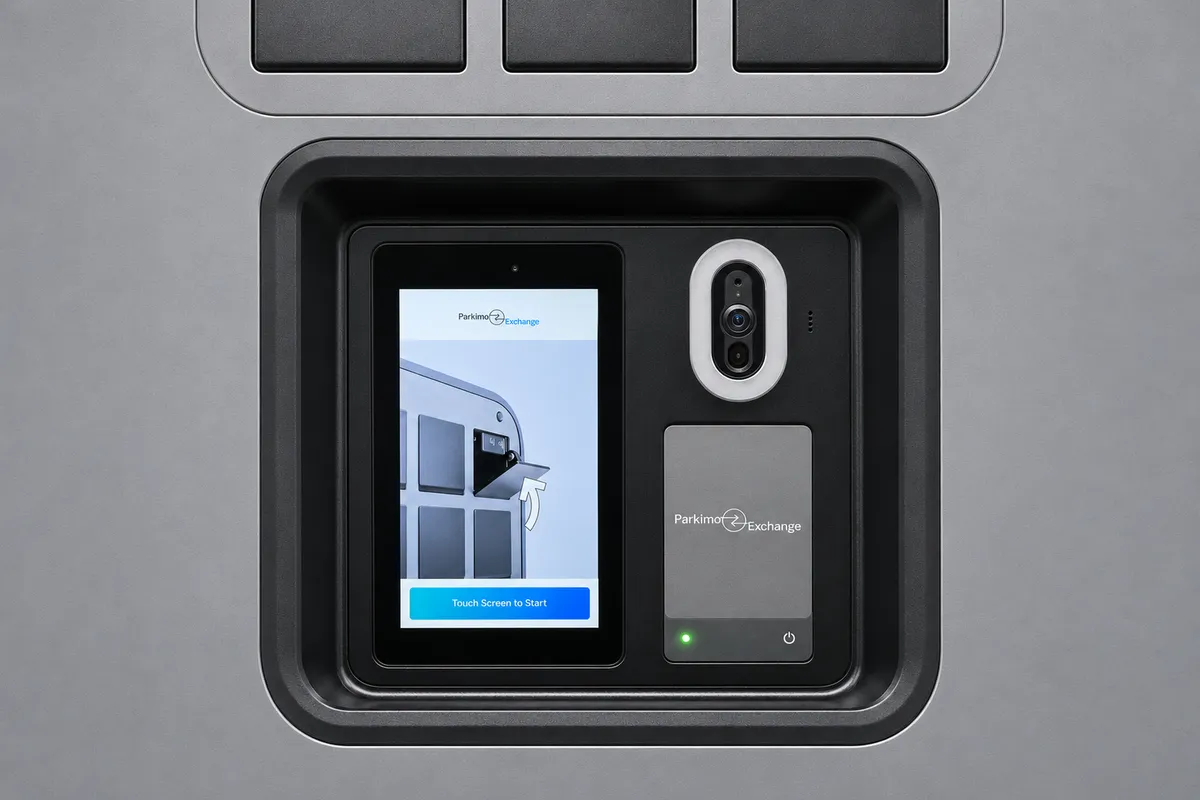
A simpler way for hosts and guests to exchange vehicle keys. Secure lockers. Easy access. Fewer handoffs.
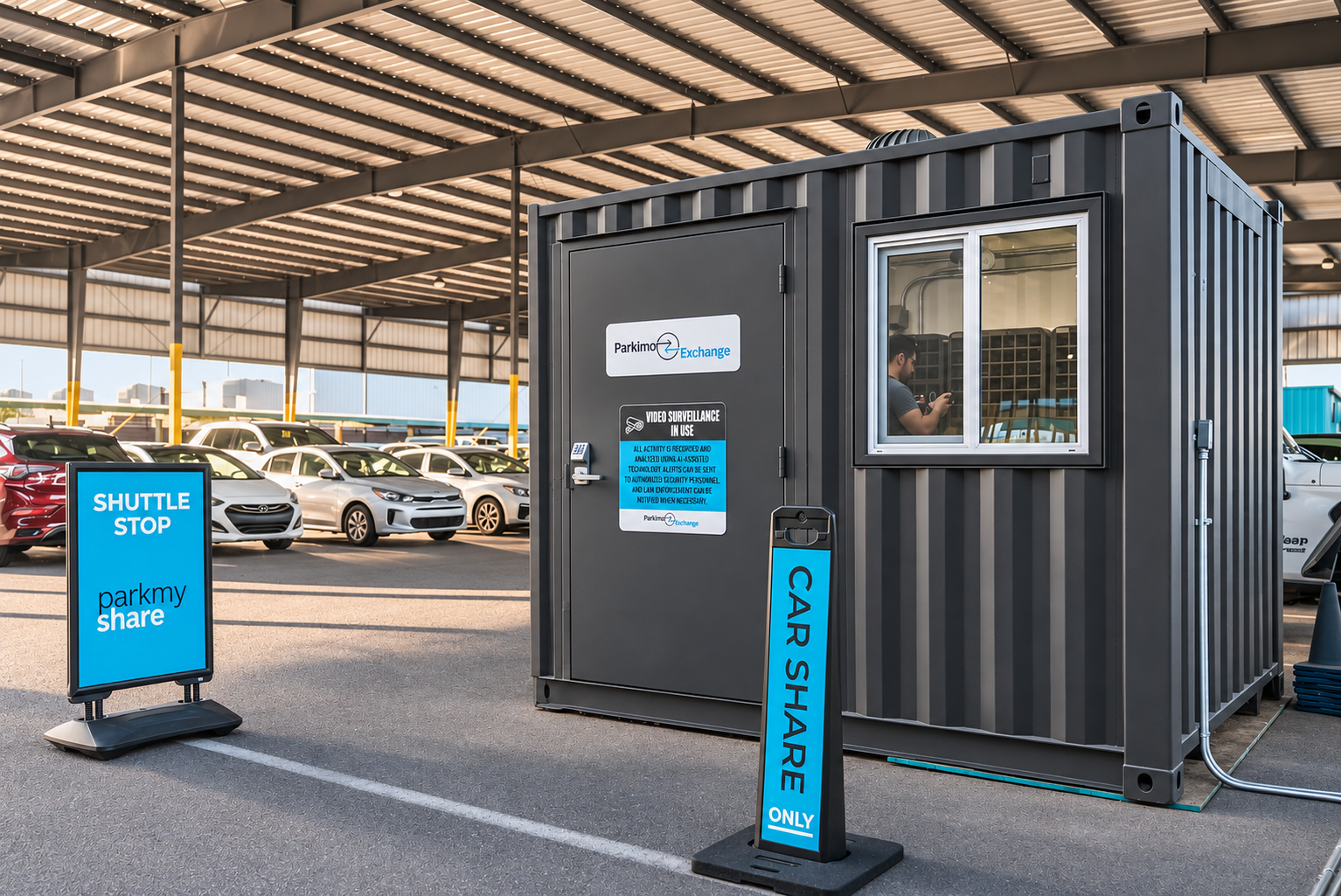
Hosts place vehicle keys in a secure locker before the trip.
Guests use the key code to collect their keys at arrival.
Guests return the keys through the touchscreen after the trip.
CONNECTED TRIP VISIBILITY
Vehicle access today. Key exchange activity coming soon.
Know when your vehicle enters and leaves the lot.
Confirm when your guest picks up and drops off the key.
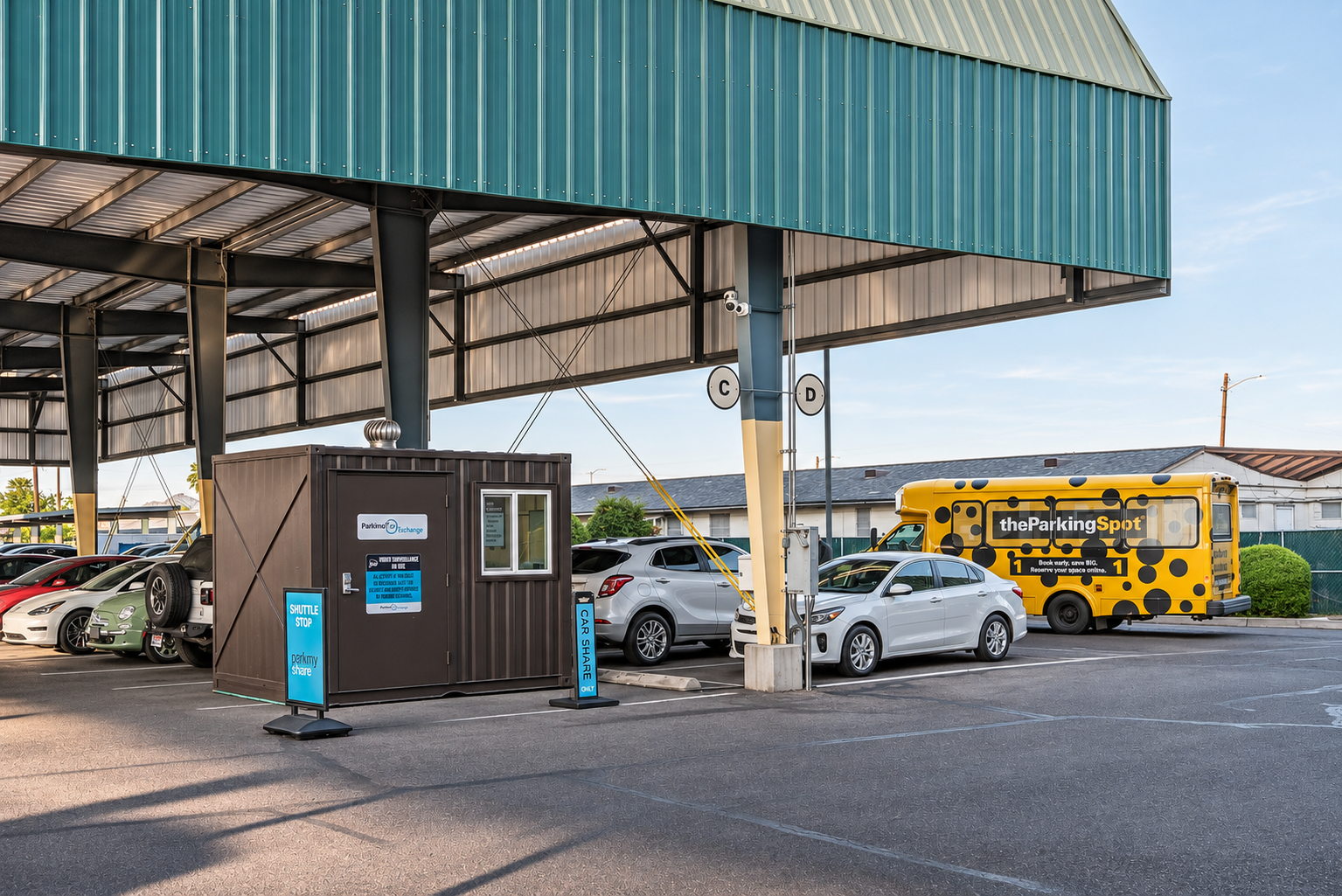
Park My Share participating locations utilize Parkimo Exchange, a secure and convenient system for hosts and guests to exchange vehicle keys using on-site smart key lockers. Hosts place their vehicle keys in a secure locker before a reservation, and guests use secure access codes to retrieve the keys at pickup and return them to a locker at the end of their trip. This eliminates the need for vehicle lockboxes, in-person handoffs, or coordinating schedules.
Host video guide
Follow along in your Park My Share dashboard.
1. Find your vehicle’s key code: Log in to your Park My Share dashboard and locate the vehicle’s Key Code. Confirm you’re using the correct vehicle and key code.
2. Start the key drop-off: At the Parkimo Exchange touchscreen, select Key Drop Off, enter the vehicle’s key code, and press Enter.
3. Deposit the key: Place the correct vehicle key inside the bin that opens and firmly close the door.
4. Send your guest instructions: Share the vehicle’s key code, parking location, and instructions for picking up and returning the key.
5. Pick up the key: Your guest selects Key Pickup, enters the vehicle’s key code, and follows the screen prompts. After removing the key, they must firmly close the bin door.
6. Return the key after the trip: Have your guest park the vehicle, send you its location, and repeat the Key Drop Off process. Every return must be recorded through the touchscreen.
7. Keep exchanges under 24 hours: Retrieve keys between bookings within 24 hours.
Airport Pick up (A few hours before trip start)
Hi [Guest First Name], here’s your quick pickup guide:
🚌 Find the shuttle
• Terminal 4: Exit Door 7 North.
• Terminal 3: Exit Door 11 North.
• Walk to the outer curb and look for the yellow, spotted The Parking Spot 1 shuttle. It will take you to Parkimo Key Exchange located inside the Parking Spot 1 facility.
🚪 Enter Parkimo Key Exchange
Use door code XXXX to enter the building.
🔑 Collect your keys
Important** Close all bins prior to punching in the key code.
Your vehicle’s key pickup code will be available 1 hour before your trip starts, once your license has been verified.
📱In the Turo app, open your trip’s Details page and tap the location just below the dates and above the map. You’ll find your key code, parking spot, and photo references there.
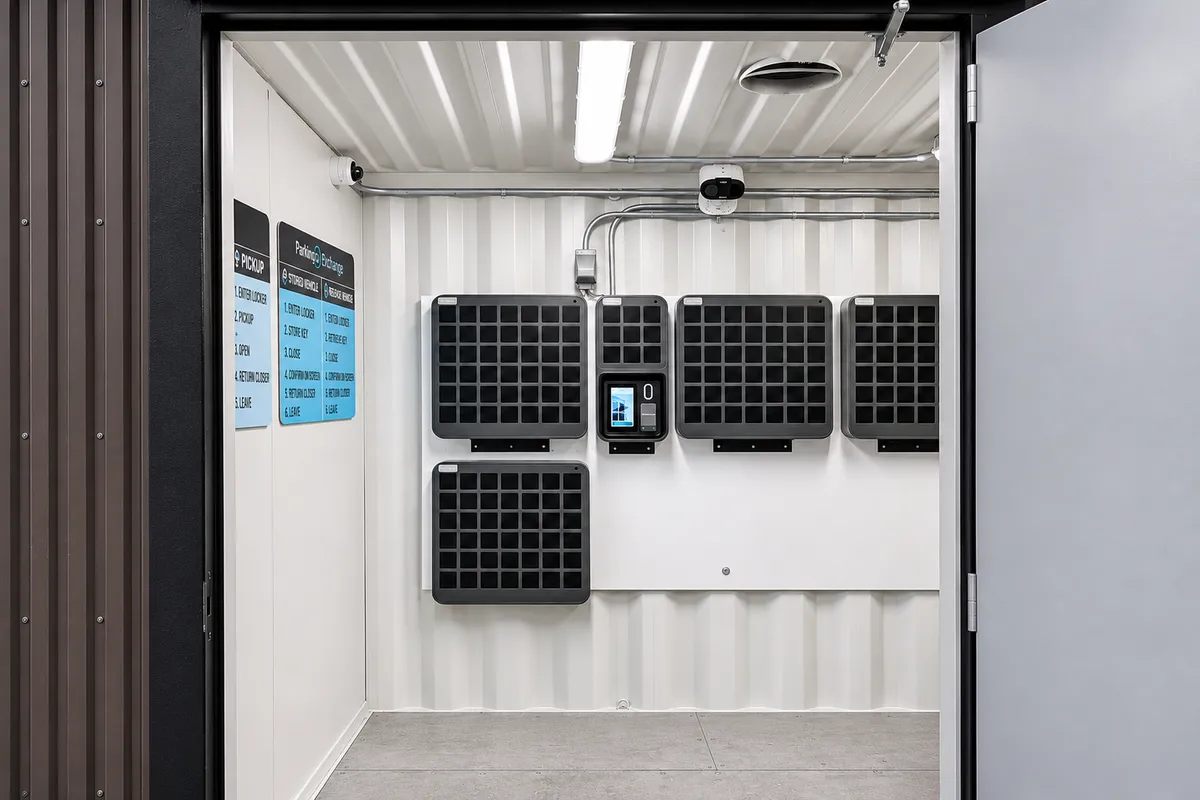
Inside, tap Key Pickup on the locker touchscreen, enter your vehicle’s key code, and tap ✓. Take your key and close the bin.
📍 Full directions:
https://parkmyshare.com/guest-instructions-phx-tps1
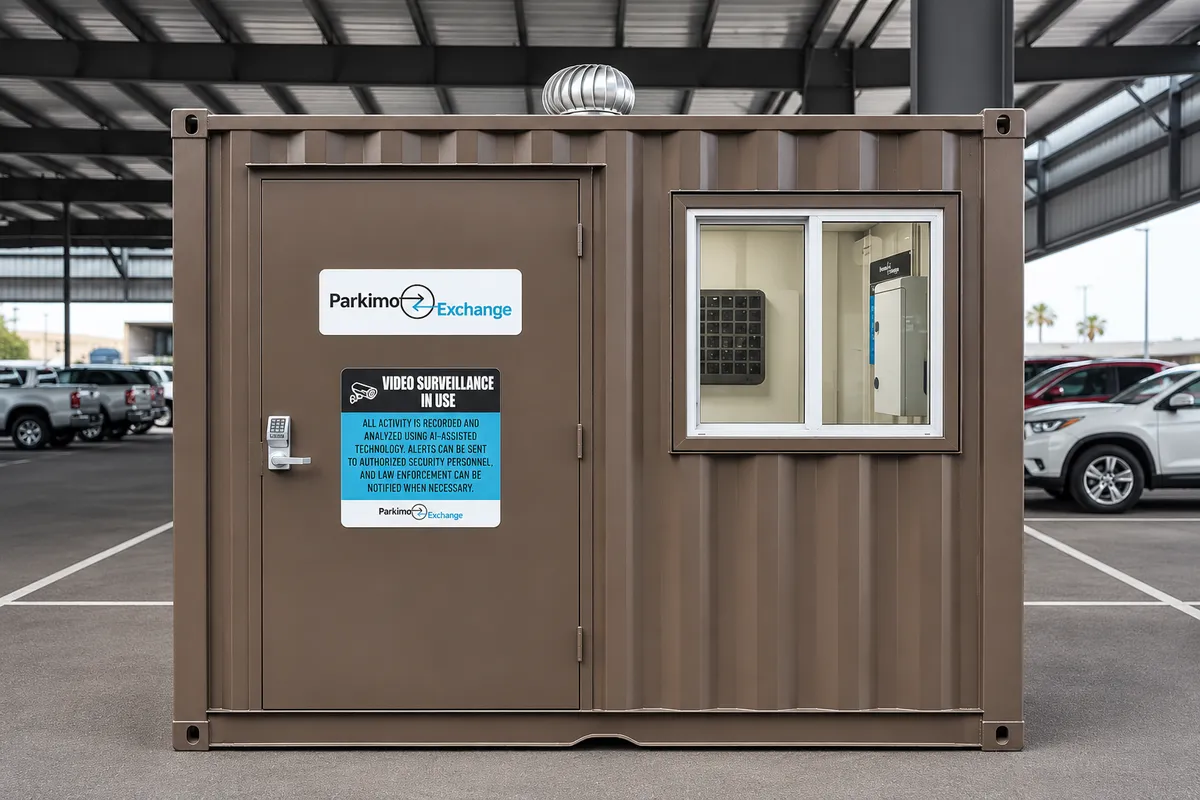
Parkimo Exchange is a self-service locker system that lets hosts and guests drop off and pick up vehicle keys.
Parkimo Exchange is free to use when keys remain in a locker for 24 hours or less per exchange. This applies to both host drop-off for guest pickup and guest return for host pickup. Keys left longer than 24 hours incur convenience fees. This helps keep lockers available for all participating hosts and their vehicles.
- All vehicles must have active Park My Share subscriptions
- All vehicles must have spare keys and a contingency plan (in person key exchange, remote unlock system, etc)
Log in to your Park My Share dashboard and locate the Key Code for the correct vehicle.
Select Key Drop Off on the touchscreen, enter the vehicle’s key code, and follow the prompts. Place the correct key in the bin that opens and firmly close the door.
Your guest selects Key Pickup, enters the vehicle’s key code, and follows the prompts. They should remove the key and firmly close the bin door.
Send the vehicle’s key code, parking location, locker location, and instructions for picking up and returning the key. Share the vehicle’s code, never your Park My Share account password.
Yes, provided you haven’t refreshed the code. They should select Key Drop Off, enter the vehicle’s key code, and follow the return prompts.
Send your guest the vehicle’s parking location separately. After the trip, ask them to send you its updated location.
Use the bin that opens during the touchscreen process. Always confirm you’re depositing the correct vehicle key.
Complete a new Key Drop Off through the touchscreen. Simply placing the key back inside does not properly record its return.
Parkimo Exchange is intended for exchanges lasting less than 24 hours. Retrieve keys between bookings when needed rather than using the lockers for long-term storage.
Confirm you selected the correct vehicle in your dashboard. If the code is missing or still doesn’t work, contact Park My Share support.
Contact Park My Share support. Do not force a door or leave keys outside the locker, in an unsecured bin, or unattended.
The system has battery backup designed to keep key exchanges available during a power outage. Backup operation depends on battery condition and usage. If the system is unresponsive or your code isn’t working, contact Park My Share support. All hosts enrolled in the Parkimo Exchange program must have a spare key and be available to meet their guests in the event of an emergency.
Your vehicle’s key code identifies its key record. During Key Drop Off, the system records the bin assigned to that key and opens that bin for the next pickup. Always deposit the correct vehicle key in the bin that opens. Placing the wrong key inside can cause an incorrect exchange.
Yes. We recommend refreshing the code between trips so previous guests no longer have access. Wait until the guest has returned the key, then refresh the code while the system is online and send the updated code to your next guest. Changing the code invalidates the previous one.
The previous code will stop working once the update reaches the locker. Your guest will need the new code to return the key, so send it to them right away if you’ve already refreshed it. We recommend waiting until the key has been returned before refreshing the code.


